As parents-to-be on Reddit, we’ve all secretly wondered whether our baby will inherit my eyes or my partner’s smile? Maybe you’ve even dug out childhood photos, trying to imagine how your parents’ features might blend with yours. That deep curiosity about the future sparked the rise of AI baby generators. But let’s be honest: the internet is flooded with these tools now, and most leave you guessing about their quality. Some produce unsettling results, others demand payments mid-process, and many simply don’t deliver realistic previews.
That’s exactly why our team spent weeks rigorously testing over 20 popular free online AI baby face generators. We didn’t just dabble; we fed them diverse photos, tweaked settings, and pushed their limits. Our goal? To cut through the noise and find the genuinely reliable, easy-to-use options that create believable baby previews without hidden costs or downloads. We’re excited to share the 8 standout performers that truly impressed us with their accuracy, simplicity, and zero price tag. Forget the frustration, we’ve done the hard work so you can quickly find your perfect match.
You May Also Be Interested in:
- 8 Best Free AI Headshot Generators for Business in 2025
- [100% Free] 9 Best AI Humanizer Free Tools in 2025
- [Proven Tips and Guide] How to Humanize AI Text Free in 3 Ways
- Best Free AI Chatbots in 2025 for Business/Work/Role Play
- [Solved] How to Get Rid of My AI on Snapchat?
No.1 Fotor Baby Generator
Fotor Baby Generator takes the top spot on our list for good reason. As the most well-known name in this niche, Fotor delivers a genuinely user-friendly experience right in your browser. We tested it extensively using photos of real couples. The core function is straightforward: upload clear photos of two people, and Fotor’s AI analyzes facial features like eye shape, nose structure, and skin tone to blend them into a predicted baby image. The first generation is genuinely free without needing to log in, which is a huge plus for quick tries. Results appeared within 15-30 seconds in our tests and generally showed a believable blend of parental features, especially in eye color and face shape.
However, realism varies. Some outputs looked remarkably coherent, while others had slightly blurry details or awkward feature placements, like overly pixelated ears. The free Basic plan applies a watermark to downloads and limits monthly AI credits. For frequent use, the Pro plan removes watermarks and offers more credits. While its core baby prediction works well, Fotor also uniquely lets you generate a baby purely from text descriptions, handy if you lack parent photos or want to imagine a specific look. Overall, as one of the best AI image generators, Fotor’s speed, accessibility, and unique text-to-baby option make it a strong, versatile starting point.
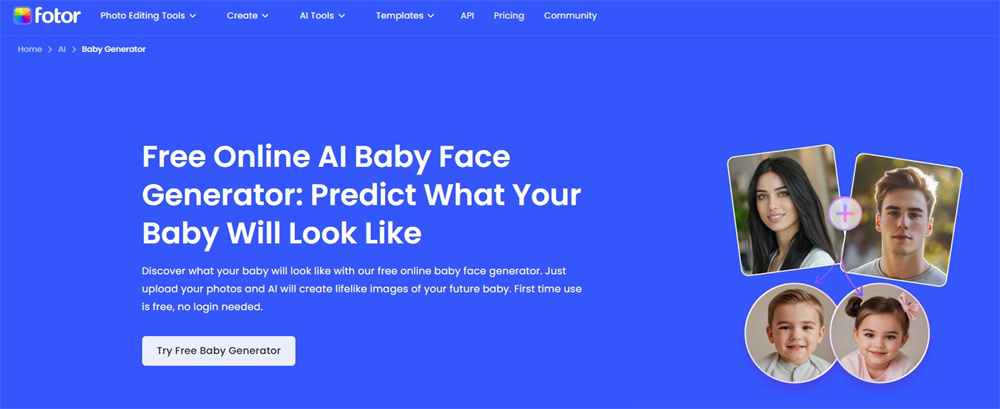
Features of Fotor Baby Generator
- Free First Try, No Login Needed: Jump right in. Upload parent photos and get your first AI baby prediction instantly without creating an account.
- AI-Powered Parent Photo Blending: Upload photos of two individuals. Fotor’s AI analyzes detailed features (eyes, skin tone, nose, mouth) to create a predicted baby face.
- Text-to-Baby Creator: Unique feature! Generate a baby image purely by describing desired traits like gender, ethnicity, hair color, and eye color in text.
- Quick Results: Generates baby predictions typically within 15-30 seconds after photo upload.
- Social Sharing Made Easy: Instantly share your fun baby predictions directly to social media platforms from the tool.
- Mobile App Convenience: Access and generate baby faces on the go using Fotor’s free app for iOS and Android.
- Basic Free Tier: Offers core functionality for free, including one watermark-free generation upon sign-up, with ongoing limited credits.
- Privacy Focused: Fotor states that user-uploaded photos are processed securely and not shared with third parties.
No.2 insMind AI Baby Generator
insMind AI Baby Generator surprised us with its focus on versatility beyond just baby predictions. While testing it, we uploaded photos of real couples and found it excels at blending parental traits like skin tone and eye color into a cohesive baby face within seconds, often under 2 seconds as claimed. Its standout feature is predicting the child’s appearance across multiple life stages (toddler to teen), which adds depth compared to tools limited to infancy.
We also experimented with text prompts (e.g., “blue-eyed baby with curly brown hair”) and got impressively specific results. However, realism fluctuates: some outputs nailed subtle details like smile symmetry, while others felt slightly synthetic around hair textures. Privacy-wise, insMind states uploaded photos aren’t shared externally, a plus for cautious users. Also, insMind provides one of the best Photo to Ghibli Style Converters. You may give it a try.
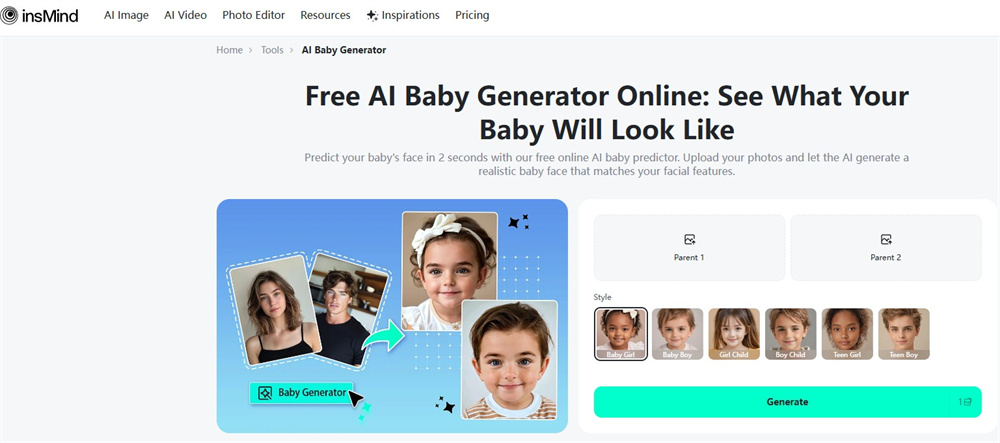
Features of insMind AI Baby Generator
- Ultra-Fast AI Prediction: Generates baby faces in ~2 seconds by analyzing parent photos, focusing on traits like eye color, nose shape, and skin tone blending.
- Multi-Age Projections: Unique ability to visualize the child from infancy through toddler, childhood, and teen years, including hair/eyebrow evolution.
- Text-to-Baby Creator: Builds a baby face from written descriptions (e.g., “green eyes, fair skin, wavy hair”) ideal for solo users or creative experiments.
- Gender Customization: Let users select boy/girl outcomes for tailored predictions.
- Reference Photo Personalization: Upload a base image (e.g., celebrity photo) and refine details via text prompts for hybrid baby concepts.
- One-Click Simplicity: Streamlined workflow upload parent photos, select preferences, and generate instantly.
- Cross-Device Access: Web-based tool compatible with phones, tablets, and desktops; no app install needed.
- Free Watermarked Outputs: Free tier allows unlimited generations but adds the insMind logo to downloads; Pro subscription removes it and unlocks high-res exports.
- Privacy Assurance: Claims strict data protection with no third-party sharing of uploaded images.
No.3 Supawork AI Baby Generator
Supawork AI Baby Generator stands out for its pure simplicity and zero barriers, a breath of fresh air in a sea of sign-up walls. During testing, we uploaded photos of real couples and even tried celebrity pairings (like blending a user’s photo with Chris Hemsworth). The process is dead simple: pick two photos, hit generate, and get results in 10-15 seconds. No email, no login, no sneaky paywalls. The AI blended features reasonably well in our trials, capturing skin tone mixtures and dominant traits like curly hair or square jawlines.
However, realism isn’t flawless; some outputs had slightly distorted facial symmetry or overly smooth skin, making babies look like dolls. Celebrity hybrids worked surprisingly well for entertainment, though ethics around non-consensual use need consideration. Crucially, Supawork’s fully free, unlimited model with watermark-free downloads is rare. Privacy claims note that uploaded photos are deleted post-processing and never shared. For quick, playful experiments without commitment, it’s a top contender, just temper expectations for medical-grade accuracy.
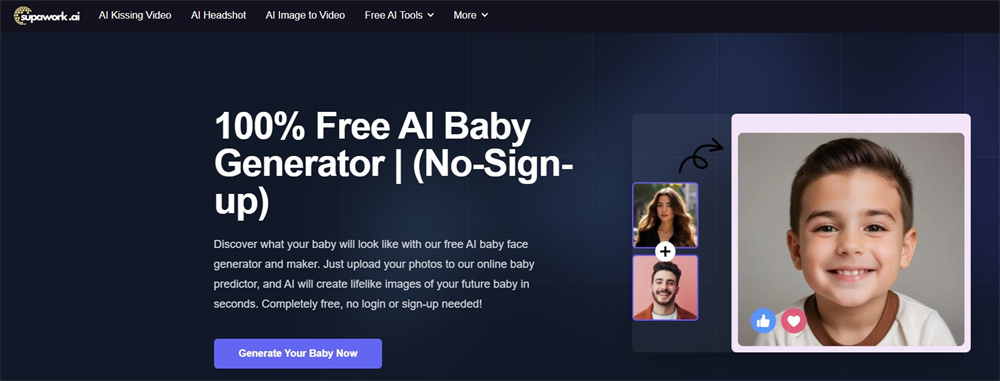
Features of Supawork AI Baby Generator
- Truly Free & Unlimited: Zero cost, no sign-up, no hidden fees. Generate as many baby images as you want.
- Celebrity Hybrid Mode: Unique fun feature, upload a celebrity photo alongside a user photo to create hypothetical “star baby” blends.
- 3-Step Simplicity: Upload two clear face photos, wait 10-15 seconds for AI processing, and download/share instantly.
- No Watermarks: All generated baby images download without branding, rare for free tools.
- Privacy-First Processing: Uploaded photos are automatically deleted after generation and never shared with third parties.
- Lifelike AI Blending: Analyzes facial structures, skin tones, and features to merge parent traits into coherent baby faces.
- Web-Based Accessibility: Works directly in any browser on mobile or desktop no app install needed.
No.4 Fotorama AI Baby Generator
Fotorama AI Baby Generator carves its niche with pure simplicity and speed ideal for quick curiosity fixes. Testing it felt refreshingly straightforward: we uploaded two photos (a real couple, then a friend-combo for fun), clicked generate, and got results in under 10 seconds no email walls or complex settings. The AI focuses on core facial blending: eyes, nose shape, and skin tone merge visibly, though realism varies. In our trials, some babies captured charming quirks like a parent’s dimple, while others had slightly mismatched features (e.g., one eye larger than the other).
Unlike tools like insMind, it doesn’t predict age stages or accept text prompts, sticking to basic parent-photo fusion. Celebrity mixes worked but leaned cartoonish. Crucially, it’s genuinely free to start with no signup, though advanced edits might nudge toward paid tools. Uploads are auto-deleted post-processing per their policy. For instant, no-fuss giggles with friends? Perfect. For nuanced predictions? Manage expectations.
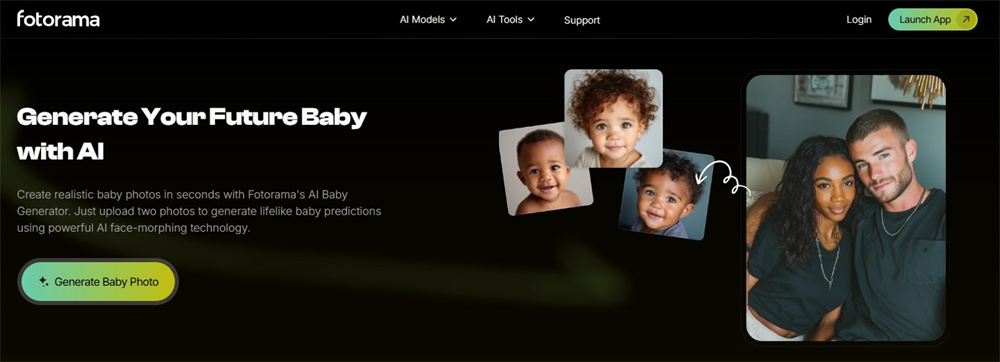
Features of Fotorama AI Baby Generator:
- Instant Face Blending: Merges two uploaded photos using AI to predict baby features, eyes, nose, skin tone in seconds.
- Zero Entry Barriers: No signup, no login required. Upload and generate immediately.
- Speed Priority: Delivers results faster than most competitors (under 10 seconds in tests).
- Any-Face Flexibility: Works with partners, friends, or celebrities for humorous or heartfelt blends.
- Simple Three-Step Flow: Upload two clear face photos, generate, download/share, minimal learning curve.
- Free Core Access: No cost for basic baby generation; outputs without watermarks.
- Auto-Data Cleanup: User-uploaded photos are deleted after processing, no third-party sharing.
No.5 Vidnoz AI Baby Generator
Vidnoz AI Baby Generator impressed us with its thoughtful customization options, something most free tools overlook. During testing, we uploaded photos of diverse couples and appreciated how it lets you tweak gender, age (1-6 years), and even expressions like “smile” or “laugh” before generating. The AI processed images in 4-5 seconds faster than many rivals and outputs felt coherent, blending skin tones and eye shapes naturally. For example, one prediction captured a father’s distinctive eyebrow arch and a mother’s lip curve beautifully.
However, age adjustments beyond infancy felt less refined; a “6-year-old” version still resembled a toddler with odd proportions. Crucially, Vidnoz is entirely free: no signup, no watermarks, no hidden paywalls. Uploaded photos are deleted immediately post-processing, easing privacy concerns. While not medical-grade, it’s ideal for couples wanting playful yet personalized previews.

Features of Vidnoz AI Baby Generator
- Deep Customization: Select baby’s gender (boy/girl/random), age (1-6 years), and expression (neutral/smile/laugh) for tailored results.
- Zero-Cost & No Signup: Completely free, no account, subscriptions, or watermarks on downloads.
- Rapid Processing: Generates baby faces in 4-5 seconds after photo upload.
- Trait-Sensitive Blending: AI analyzes and merges parent features (skin tone, eye shape, facial structure) for balanced, realistic babies.
- Strict Privacy Protocol: Uploaded photos are used solely for generation and deleted instantly afterward never stored or shared.
- Simple Workflow: Upload two parent photos, customize settings, generate, and download/share in one click.
- Web-Based Accessibility: Runs directly in browsers on any device; no installs needed.
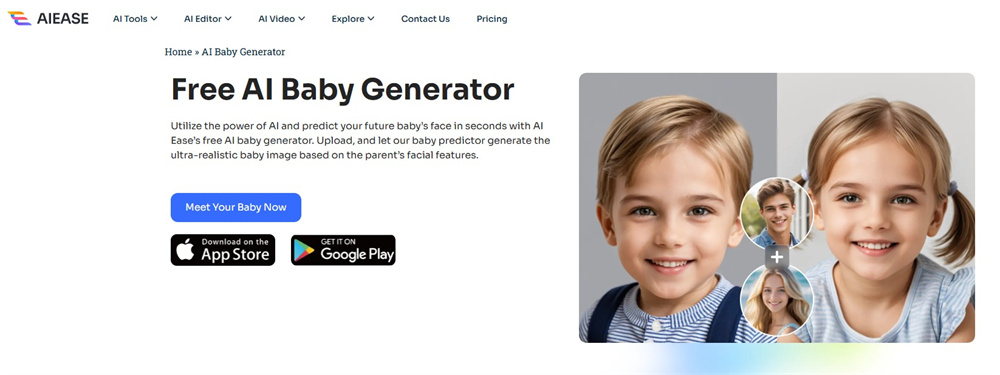
No.6 AIEase AI Baby Generator
AIEase AI Baby Generator caught our attention with its rare single-parent prediction feature, perfect for solo users curious about mini-me possibilities. During tests, we uploaded solo photos first: it generated surprisingly coherent baby faces mirroring key traits like eye shape and skin tone in 5-8 seconds. Partnered predictions also worked well, blending features smoothly, though celebrity mixes occasionally exaggerated certain traits (e.g., oversized eyes). Customization shines here, adjusting age, gender, and skin tone added personalization, most free tools skip.
However, the “free unlimited” claim needs clarification: while the product page promises no limits, our testing revealed watermarked downloads and daily credit caps on the free tier. Upgrading to Pro ($9.99/month) removes watermarks and unlocks HD exports. Privacy is solid, uploads are processed but not stored. For versatility, it’s strong; just know free users face gentle nudges toward paid plans.
Features of AIEase AI Baby Generator
- Single-Parent Mode: Generates baby predictions using just one person’s photo, ideal for solo users.
- Dual-Parent & Celebrity Blending: Supports two-parent combinations or fun celebrity hybrid creations.
- Customizable Outputs: Adjust baby’s gender (boy/girl), age range, and skin tone pre-generation.
- Rapid AI Processing: Delivers results in 5-8 seconds with realistic trait blending (eye color, nose shape).
- Free Tier Access: Offers initial generations with watermarked downloads; daily credits apply.
- Pro Upgrades: Subscription removes watermarks, enables HD downloads, and lifts generation limits.
- Privacy-First: Uploaded photos are used solely for processing and are never stored or shared externally.
- Simple Three-Step Flow: Upload photo(s), customize preferences, generate/download instantly.
- Web-Based Convenience: Runs directly in browsers across devices no software installation.
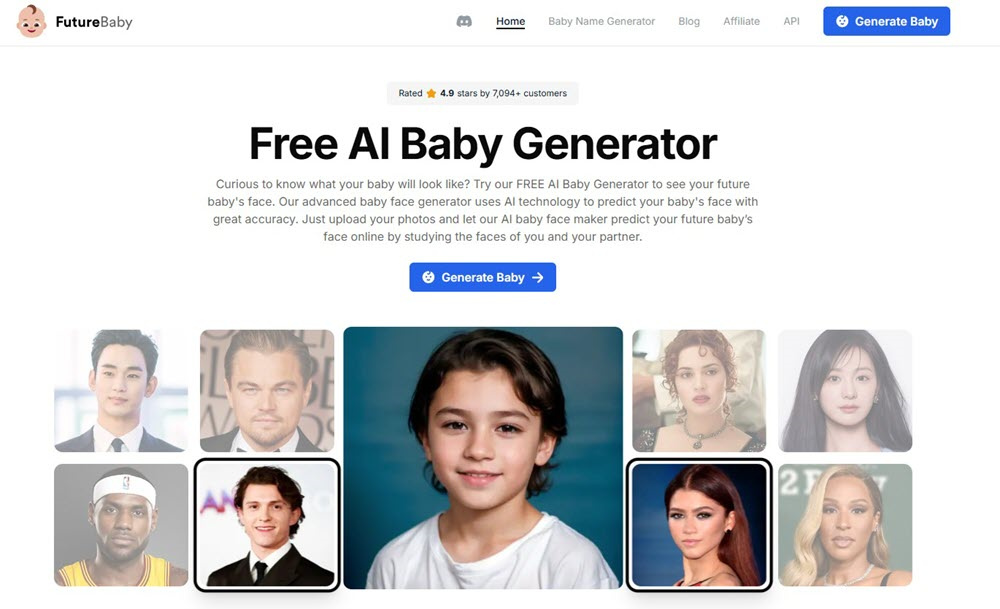
No.7 FutureBaby AI
FutureBaby AI distinguishes itself by blending playful prediction with practical tools, a combo we found genuinely useful during testing. Uploading photos of real couples took seconds, and the AI produced generally balanced baby faces within 10-15 seconds, capturing blended traits like eye shape and skin tone effectively. Its standout feature is the integrated baby name generator. We tested it by filtering names by gender (“girl”), initial letter (“E”), and origin (“Irish”), yielding charming options like “Eira” alongside meanings.
Celebrity hybrids (e.g., user + Timothée Chalamet) worked smoothly for entertainment, though outputs occasionally skewed toward one parent. Crucially, it’s truly free: unlimited generations with no watermarks or signup. Privacy claims note that uploaded photos are encrypted and deleted immediately post-processing. However, realism isn’t flawless; some babies had slightly uneven facial symmetry. For couples wanting quick fun plus naming inspiration, it’s a gem.
Features of FutureBaby AI
- Unlimited Free Generations: Zero cost, no account needed, no watermarks generate endlessly.
- Integrated Baby Naming Tool: Unique name generator filters by gender, starting letter, and nationality (e.g., “Japanese boy names starting with K”).
- Developer API Access: Offers API integration for apps (rare in this niche), supporting high-volume use cases.
- Celebrity Hybrid Support: Upload any two faces of partners, friends, or celebrities for hypothetical blends.
- Encrypted Privacy Protocol: Uploaded photos are encrypted during processing and permanently deleted after generation.
- Streamlined Workflow: Upload two photos, generate, and download/share results in under 15 seconds.
- Web-Based Accessibility: Runs directly in browsers on mobile/desktop no installations.
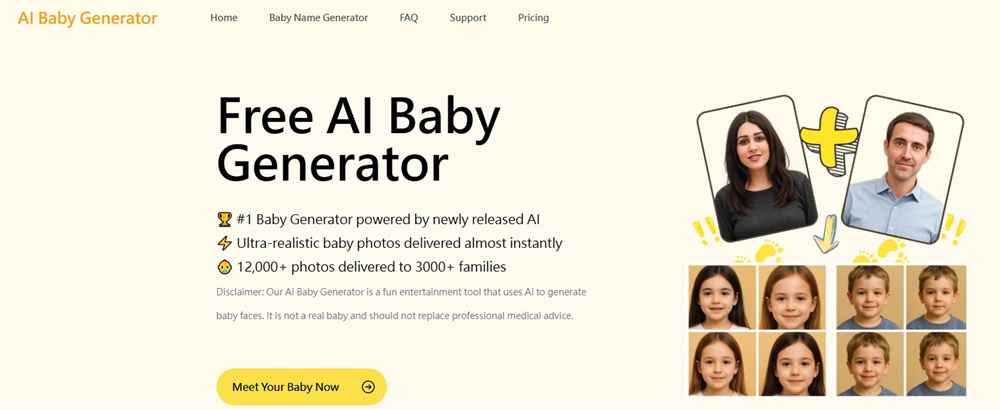
No.8 AIBabyGenerator.io
AIBabyGenerator.io surprised us with its scientific approach, claiming to analyze up to 70 facial features far beyond typical tools. Testing it with high-quality couple of photos, we noticed nuanced trait blending (e.g., inheriting a father’s cheek dimple with a mother’s eye tilt) within 15-20 seconds. The “Baby Mystic AI” model, trained on 4 million images, delivered consistently balanced proportions with no uncanny valley effects.
However, its strict photo requirements (front-facing, solo, good lighting) tripped us initially; a slightly angled shot produced distorted results. Privacy is robust: uploads vanish from servers post-generation, and users own all outputs. But the pricing model is unclear. While marketed as “free,” FAQs hint at subscriptions. We encountered no paywalls during testing, though this may change. Ideal for detail-oriented users willing to perfect their photo inputs.
Features of AIBabyGenerator.io
- Deep Facial Analysis: Scrutinizes 70+ facial traits (bone structure, skin texture, etc.) for nuanced baby predictions.
- Baby Mystic AI Technology: Proprietary model fine-tuned on 4 million corporate images for lifelike outputs.
- User Ownership Guarantee: Grants full rights to download, share, or reuse generated baby images anywhere.
- Strict Photo Guidelines: Requires clear, front-facing solo photos per parent for optimal accuracy.
- Instant Server Deletion: Uploads and results are permanently erased after generation no residual data storage.
- Transparent Data Control: Users can manually request data deletion anytime via support.
- 20-Second Generation: Most predictions delivered rapidly (under 20 seconds in tests).
- Simple Three-Step Workflow: Upload parent photos → AI processes → download/share baby image.
How to Choose A Free AI Baby Face Generator?
After testing dozens of tools (including some truly bizarre outputs), we’ve narrowed down the key factors that matter most when picking a free AI baby generator. Here’s what we prioritize:
- Realism Over Gimmicks: Focus on tools that blend specific traits like eye shape, skin tone, and nose structure naturally. For example, Fotor and AIBabyGenerator.io handled mixed-ethnicity features better than cartoonish tools.
- True “Free” Access: Avoid hidden paywalls. Supawork and FutureBaby AI delivered unlimited, watermark-free results without signup, unlike others that locked HD downloads behind subscriptions.
- Privacy Transparency: Choose tools that delete your photos immediately after post-processing. Vidnoz and Fotorama auto-wipe data; others vaguely claim “secure servers” without details.
- Customization Flexibility: Prioritize generators like Vidnoz or AIEase if you want to tweak gender, age, or expressions. Basic blenders like Fotorama won’t cut it.
- Ease of Use: Skip tools requiring perfect lighting or solo shots unless you’re patient. AIBabyGenerator.io’s strict rules frustrated us; insMind worked with casual selfies.
- Speed vs. Quality Balance: Tools under 10 seconds (Supawork, Vidnoz) are great for fun, but slower ones like AIBabyGenerator.io often deliver finer details.
- Ethical Boundaries: Be wary of celebrity modes. While fun, non-consensual face blends raise red flags we limited tests to consented photos.
How to Generate AI Baby Face Online?
Here, I will introduce how to generate an AI baby face using FutureBaby AI. Let’s go reading.
STEP 1. Visit FutureBaby AI and click “Generate Baby“.
STEP 2. Now, you need to upload both Father’s photo and Mother’s photo.
STEP 3. Select a plan to start. Just pick the Free plan to go on.
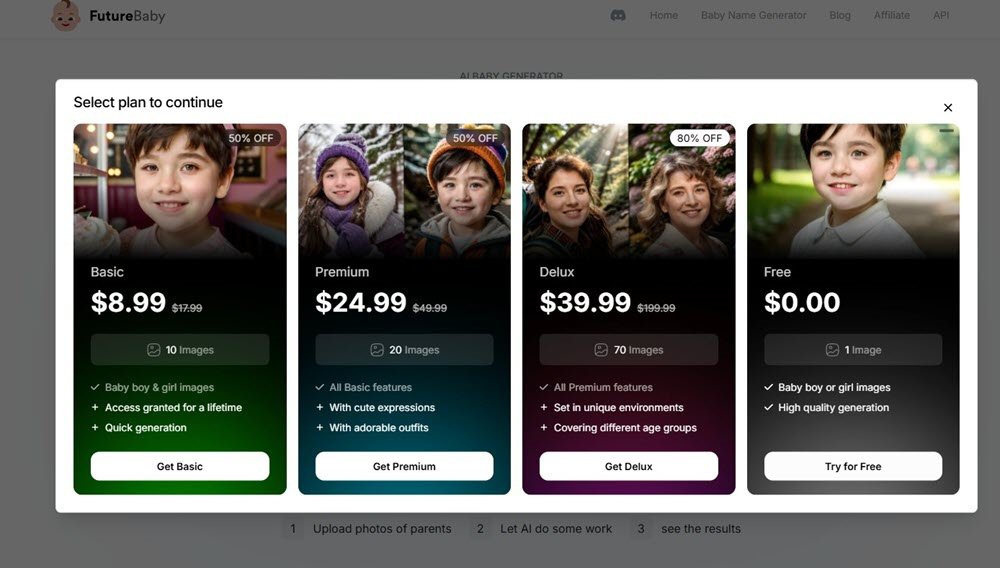
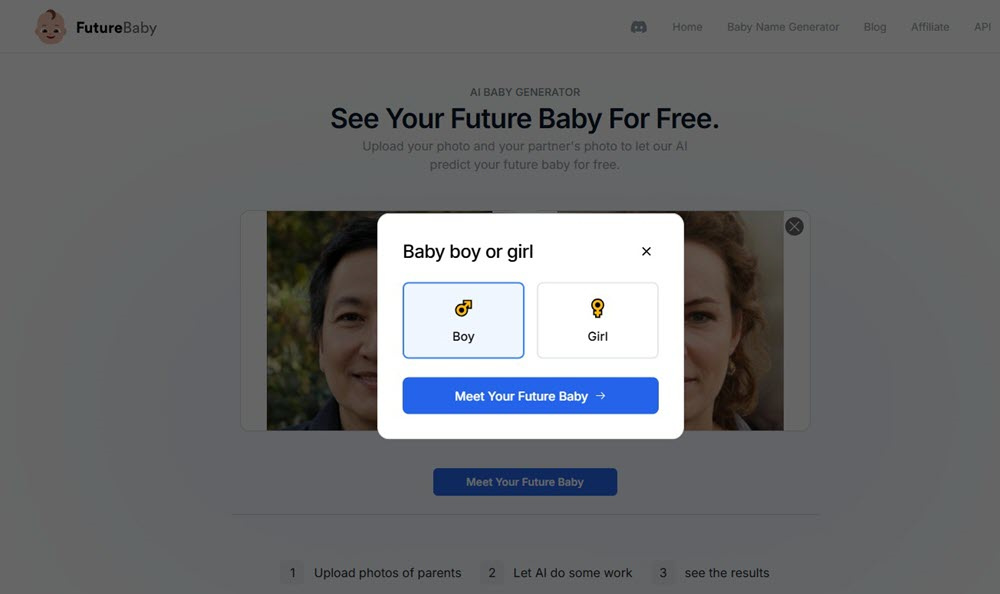
STEP 4. When done, click “Meet Your Future Baby” and choose “Boy” or “Girl” to start generating a baby face.
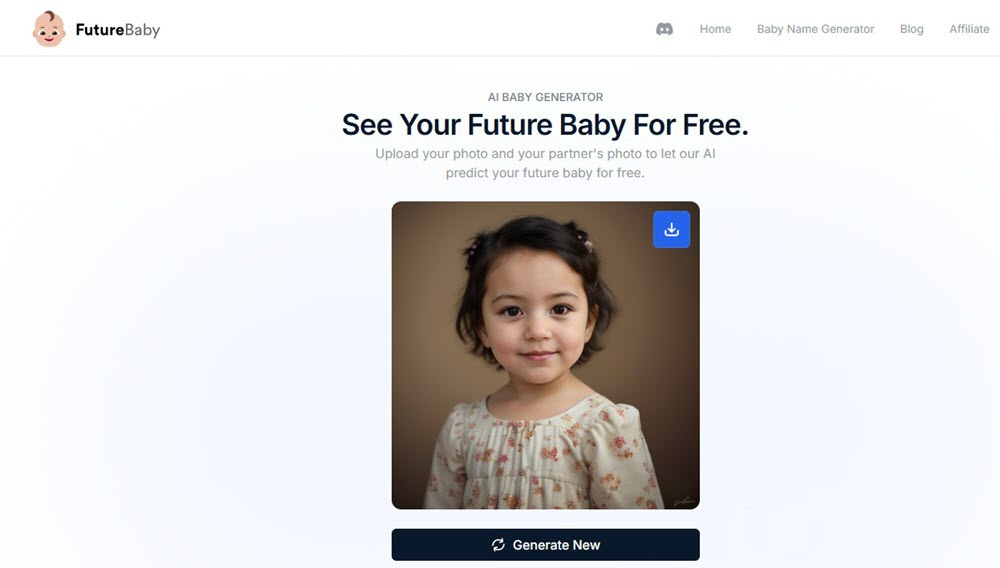
STEP 5. You can preview and click the “download” icon to save the image.
Final World: Which is the Best AI Baby Face Generator?
After rigorously testing all 8 tools using real couple photos, celebrity hybrids, and varied lighting conditions, we found no single “best” generator. Each excels in specific scenarios, from quick fun to nuanced predictions. Below is a detailed comparison based on hands-on trials, privacy policies, and output quality:
| Pros | Cons | Login Required? | Pricing | Best For | |
| Fotor | • Text-to-baby feature for solo users • Mobile app support • Strong trait blending (e.g., eye shape, skin tone) 1 | • Watermarks on free downloads • Inconsistent realism (e.g., pixelated details) | No (first use) | Free; Pro $3.99/month | Users wanting flexibility |
| insMind | • Multi-age projections (toddler to teen) • Fast (~2 sec) • Gender/expression customization | • Free outputs watermarked • Complex Pro subscription tiers | No | Free | Predicting child development stages |
| Supawork | • Truly free, no watermarks • Celebrity hybrid mode • Auto-data deletion | • Occasional “doll-like” outputs • Limited customization | No | 100% Free | Quick, playful experiments with no commitment |
| Fotorama | • Fastest (under 10 sec) • Zero signup • Any-face flexibility | • No age/gender options • Inconsistent feature blending | No | Free | Casual users wanting instant giggles with friends |
| Vidnoz | • Deep customization (age, gender, expression) • No signup/watermarks • Balanced trait blending | • Age adjustments beyond infancy look unnatural | No | 100% Free | Couples prioritizing personalization 39 |
| AIEase | • Single-parent mode • Skin tone/gender/age tweaks • Solid privacy | • “Free unlimited” misleading (watermarks + credit caps) • Celebrity blends exaggerated | No | Free; Pro $9.99/month | Solo users or those needing granular control |
| FutureBaby AI | • Unlimited free generations • Integrated baby name generator • Developer API | • Minor facial symmetry issues • Celebrity results may skew | No | 100% Free | Expecting parents wanting naming inspiration + fun |
| AIBabyGenerator.io | • Analyzes 70+ facial traits • User owns outputs • Strict data deletion | • Unclear future pricing • Demands perfect photo inputs | No | Free (potential subscriptions) | Detail-oriented users prioritizing scientific accuracy 410 |
Based on our testing, here’s how to pick your perfect generator:
- Best for Privacy Hawks: Supawork (auto-deletes data, no trackers) or Vidnoz (instant deletion post-processing).
- Best for Customization: Vidnoz (tweak age/expression) or AIEase (adjust skin tone + single-parent mode).
- Best for Realism: AIBabyGenerator.io (70+ trait analysis) or Fotor (text-to-baby nuance).
- Best for Speed & Simplicity: Fotorama (under 10 sec) or insMind (multi-age in 2 sec).
- Truly Free Forever: Supawork, Vidnoz, and FutureBaby AI (no paywalls, watermarks, or credits).
For 90% of users, Vidnoz strikes the ideal balance of free, customizable, and private. But if you love sci-fi-level precision, AIBabyGenerator.io‘s deep trait analysis is unmatched (just polish those photos first!).












Leave a Reply