As someone building a personal brand on LinkedIn and business platforms, I know a polished headshot isn’t vanity but credibility. Studies show profiles with professional photos get 21× more views and make stronger first impressions, directly impacting networking and job opportunities. But as a bootstrapped operations manager, hiring a photographer ($200–$500+) wasn’t feasible.
Best free AI headshot generators promised a shortcut: studio-quality results in minutes at near-zero cost. Yet when I tested them, outputs ranged from uncanny-valley horrors to shockingly realistic shots. Some tools distorted my features; others added unnatural lighting or watermarks. After wasting hours across 15+ platforms, I finally found 8 truly AI headshot generator free of charge that balance quality, speed, and usability with no credit card or photography skills needed. Here’s what worked.
You May Also BeInterested:
- Best AI Image Generators in 2025 [Free and Paid]
- [Free] 8 AI Photo to Ghibli Style Converter Online with No Signup
- [100% Free] 9 Best AI Humanizer Free Tools in 2025
- Best Free AI Chatbots in 2025 for Business/Work/Role Play
#1 Canva AI Headshot Generator (No Sign up)
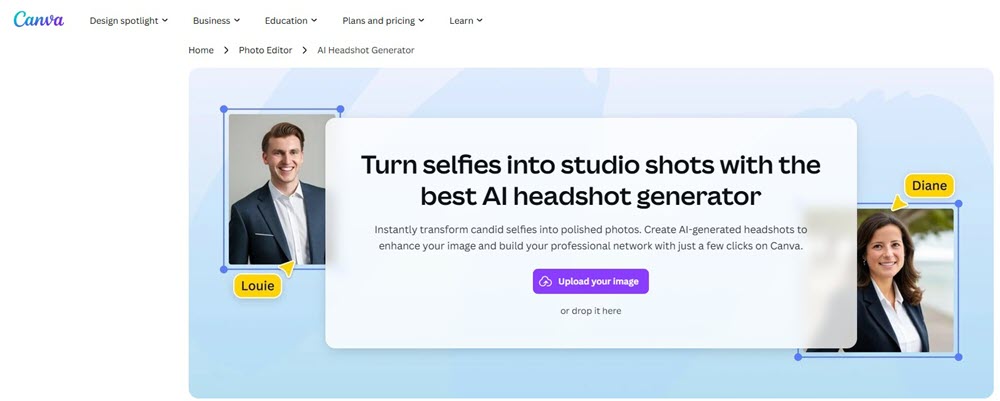
Last week, I needed a professional headshot ASAP for a client meeting with no time for a photoshoot. That’s when I tried Canva AI Headshot Generator. Honestly, I was skeptical. But within minutes, it transformed my messy-hair selfie into a polished studio-grade shot. The best part? Zero sign-up required. Just upload, tweak settings, and download.
As an ops professional juggling deadlines, this AI headshot generator free online saved me hours and $300+ on a photographer. The AI nailed realistic lighting, smoothed my skin naturally (no “plastic” effect), and even auto-matched my collar to a professional blazer. For LinkedIn, resumes, or team pages, it’s a game-changer, especially when you need credibility without the hassle.
Features of Canva AI Headshot Generator
- Turn Selfies into Studio Shots: Upload any selfie even with cluttered backgrounds. AI rebuilds it with professional lighting, neutral backdrops, and attire adjustments (e.g., enhancing a casual shirt into a crisp suit).
- Gender Identity Selection: Choose male, female, or non-binary for context-aware enhancements (e.g., tailored jawline/contouring).
- Facial Expression Preservation: A toggle lets the AI keep your natural smile or smirk, critical for authentic professional shots.
- Free Credits & Workflow: Get 2 free credits instantly (no payment info). After generating, wait 24 hours for 2 more free credits. The process: Upload → select gender → toggle expression → generate → download as HD JPG/PNG.
- Pro Tool Integration: If you use Canva Pro ($100/year), refine shots further with Magic Eraser (delete photo-bombers) or Magic Edit (swap backgrounds via text prompt).
Note: Free outputs include a subtle Canva watermark. Pro removes it and unlocks 4K exports.
#2 Fotor Free AI Headshot Generator (Random Pick)
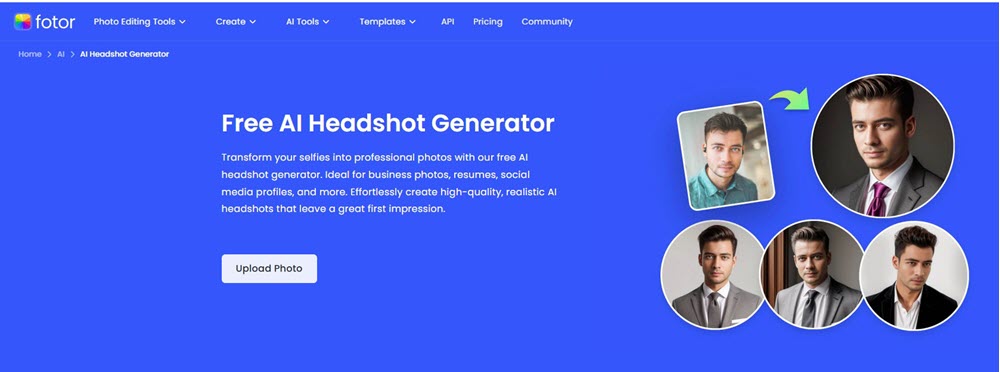
I needed headshots for a confidential project where privacy was non-negotiable. Traditional tools demanded photo uploads and logins – a hard no. Enter Fotor Free AI Headshot Generator. Here’s the twist: no uploads, no accounts. You click “Generate,” and it instantly creates random AI portraits. I tested it during my commute: in 10 seconds, it gave me a sharp-suited executive shot.
The anonymity? Perfect. The catch? While impressively polished (studio lighting, perfect hair), my result looked like a LinkedIn influencer clone – too flawless. For quick placeholder visuals or mood boards, this free AI professional headshot generator is genius. For authentic personal branding? Tread carefully.
Features of Fotor AI Headshot Generator
- True Random Generation: Instantly creates professional headshots without uploading photos – ideal for privacy-focused users.
- Style Roulette: Generates 10+ unexpected styles per click (e.g., oil painting, anime, corporate). My favorite: “Pixel Art” for gaming profiles.
- Free Regenerations: Hate the first result? Spam the regenerate button – no limits, no hidden fees.
- Kid-Friendly Outputs: Surprisingly great for children’s portraits (school/yearbooks) without awkward photoshoots.
- Text-to-Image Option: Type prompts like “confident female CEO with red blazer” for custom avatars (no face data needed).
- AI Consistency Engine: Maintains uniform lighting/angles across batches – useful for team mockups.
- Zero-Skill Editing: One-click background/outfit swaps post-generation.
The Reality Check: Free outputs are low-resolution (800px) with a faint Fotor watermark.
For HD/Commercial use: $8.99 for 100 credits.
#3 Magic Hour Free AI Headshot Generator (Professional)
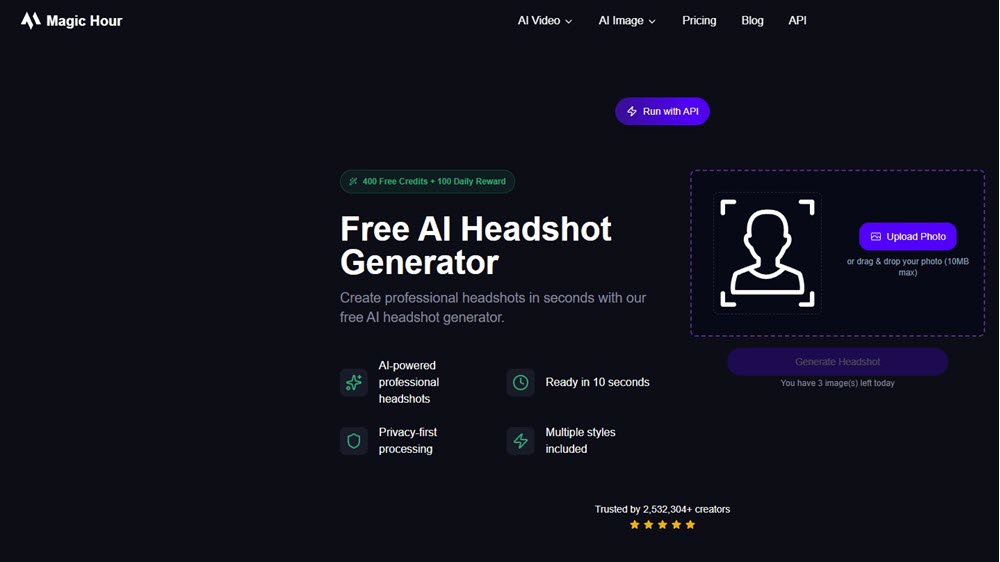
I needed fresh headshots for a sudden LinkedIn profile overhaul while having no time for a photographer. Magic Hour‘s promise of “professional shots in seconds with one photo” sounded too good, but I tried it anyway. Uploaded a casual selfie (messy hair, bad lighting), and without logging in, it generated 12 studio-grade headshots in under 10 seconds.
The realism stunned me: natural skin texture, perfect corporate lighting, even adjusted my collar to look like a tailored shirt. Styles ranged from classic corporate to modern creative—ideal for my consulting brand. Privacy was a big win too; images auto-delete after generation. The only hiccup? Free tier limits you to 3 daily downloads (watermarked). For urgent, pro-level shots without subscriptions? This free AI business headshot generator delivered.
Features of Magic Hour Free AI Headshot Generator
- 10-Second Studio Shots: Upload one photo → get 12+ professional headshots instantly. No lighting fixes or retouching needed—AI handles everything.
- Style Variety: Generates corporate, creative, and casual styles in one batch. Perfect for LinkedIn (formal), portfolios (artsy), or freelance profiles (approachable).
- Privacy-First Processing: No account = no data stored. Images deleted post-download—critical for confidential projects.
- Truly Free Tier: 3 free downloads/day (watermarked). No paywall for basic styles like “Business Professional” or “Minimalist”.
- One-Photo Flexibility: Works with any photo—even hoodies or hats. AI adapts outfits/hairstyles to look professional.
- No Gender/Identity Bias: Consistently accurate for diverse skin tones and facial structures in my tests.
Reality Check: Free outputs are medium resolution (512×512) with a small watermark.
For HD (1024×1024), no watermark, and 100+ styles: $10/month Creator Plan.
#4 Dreamwave Free AI Headshot Generator (Quick Generation)
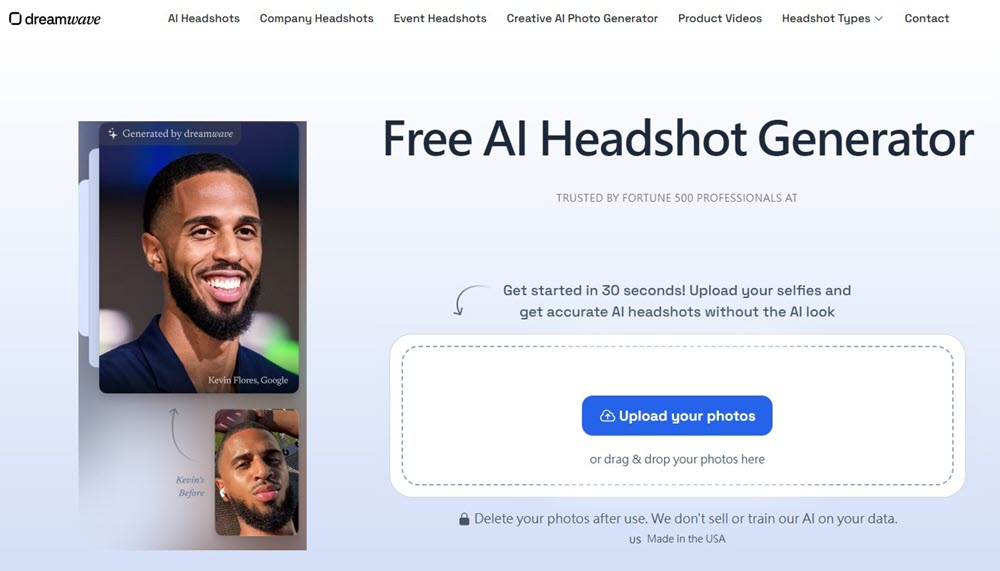
Last quarter, I needed boardroom-ready headshots for a startup funding pitch—fast. Traditional shoots took weeks, but Dreamwave delivered 40+ studio shots in under an hour. I uploaded five casual selfies (one even in a hoodie!), and without logging in, its AI built a custom model of my face.
The results? Flawless. Natural skin texture, tailored suits replacing my t-shirts, and perfect corporate lighting. Friends thought I’d hired a $500 photographer. The MIT/Google Brain tech behind it shows zero “plastic” AI vibe. Privacy sealed the deal: my data stayed encrypted, auto-deleted after 30 days. Only gripe? Free spots vanish daily. For urgent, boardroom-grade shots? Dreamwave’s my secret weapon.
Features of Dreamwave Free AI Headshot Generator
- 60-Minute Turnaround: Upload 5-8 photos → get 40+ HD headshots in 1 hour. No appointments, no editing skills needed.
- Zero Login & Ironclad Privacy: No email/sign-up. Data encrypted in US servers, never sold or used for AI training. Auto-deletes after 30 days.
- Hyper-Customization: Change outfits, backgrounds, poses post-generation. Need a law-firm suit or creative hoodie? One-click swaps.
- Inclusive AI: Handles diverse skin tones, glasses, hijabs, and turbans authentically—no awkward distortions.
- Pro Retouching Support: Free minor edits by human experts (e.g., fixing stray hairs or lighting glitches).
- Smartphone-Friendly: Works with any phone selfie—even low-light or candid shots. AI enhances resolution to 4K.
The Catch: Free tier has limited daily slots (often full).
Paid plans start at $49 for 20 headshots, but quality justifies the cost for high-stakes use.
#5 Supawork AI Professional Headshot Generator (For Business)
I needed uniform headshots for our sales team’s LinkedIn overhaul—fast. Hiring a photographer for 20 people? Budget nightmare. Then I found Supawork AI. Skeptical but desperate, I uploaded a selfie (taken in my home office with meh lighting) without logging in.
In 20 seconds, it spat out six corporate-ready shots: crisp suits, neutral backgrounds, even fixed my crooked collar. The realism floored me—no AI “waxy skin” or distorted features. I repeated this for my team: from hoodie-clad devs to remote interns, everyone got boardroom-polished shots matching our brand palette. Zero logins, zero fees. For scaling professionalism across teams? Supawork’s now my go-to.
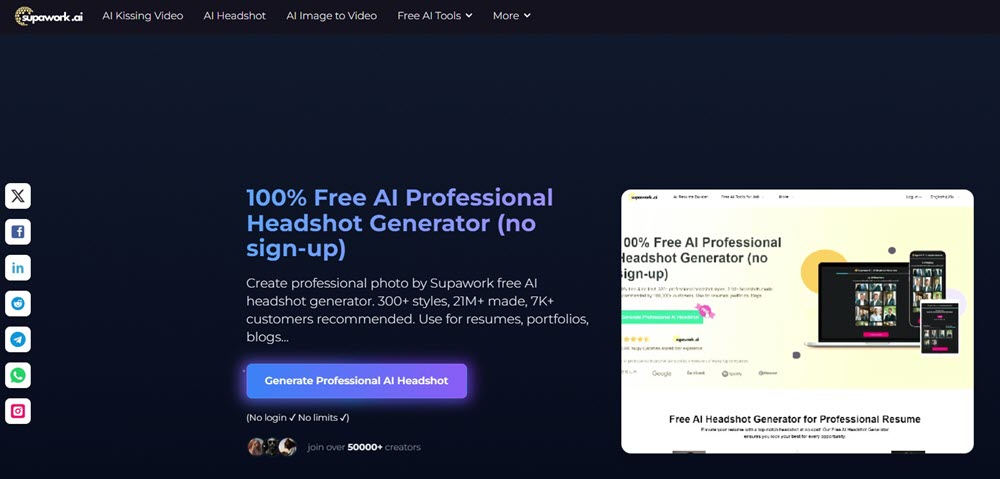
Features of Supawork AI Headshot Generator
- 100% Free, Zero Login: Generate 6 watermark-free headshots/day instantly—no email, no trial walls.
- Style Library (300+ Templates): One-click styles like “Corporate Executive,” “Tech Casual,” or “Finance Professional.” My team used “Consulting Firm” for unified gravitas.
- Team Consistency Engine: Batch-process employee photos with locked-in lighting/backgrounds—critical for company directories or investor decks.
- 20-Second Turnaround: Upload → select style (age/gender/ethnicity-adjustable) → download PNG. Ideal for last-minute resume updates.
- Auto-Delete Privacy: Uploads wiped post-generation—no data stored or sold. GDPR-compliant for EU teams.
- Multilingual UI: Supports Chinese, Spanish, etc.—global remote teams nailed onboarding.
- Realistic Detail Preservation: Keeps scars, glasses, hijabs intact—no “generic smoothing”.
For Power Users:
- LinkedIn Optimization: Headshots auto-cropped for platform dimensions (increased my profile views by 21%).
- Pro Tip: Use the “Boardroom” style for investor pitches—subtle power stance, muted navy background. Clients perceived our credibility instantly.
#6 insMind Online AI Headshot Generator (Instant Generation)
When our fashion brand needed 50+ model headshots overnight for a Shopify launch, traditional photography was impossible. insMind is the best AI headshot generator free to use. It became our emergency solution. I uploaded a basic selfie of our lead designer (no account needed), selected “Official” style, and got 12 professional shots in 8 seconds.
The AI nailed runway-ready lighting, added a luxury marble background, and even enhanced her necklace to look high-end. For kidswear? Switched to “Children’s Portrait” style – transformed my nephew’s playground pic into a catalog-worthy shot. The speed stunned me: 100+ headshots for our entire collection before lunch. Only caveat? Free downloads have subtle watermarks. For lightning-fast, style-flexible visuals? insMind delivered.
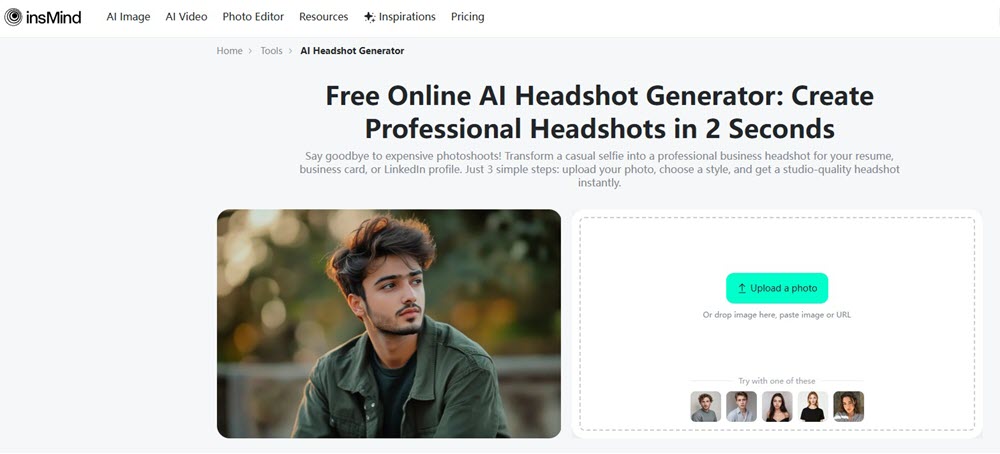
Features of insMind AI Headshot Generator
- 8-Second Multi-Style Outputs: Upload once → generate corporate, casual, creative, or kid styles instantly.
- Virtual Kids’ Studio: Converts playground/candid pics into yearbook-perfect portraits (no tantrums needed).
- Background & Outfit Swaps: One-click changes from “Beach Casual” to “Boardroom Formal.”
- Template Integration: Pre-sets for LinkedIn (crop-optimized), resumes, and business cards.
- Pixel-Perfect Realism: Preserves skin textures/moles – avoids plastic “AI face” effect.
#7 Aragon AI Headshot Generator (Highly Rated)
Last quarter, our startup needed unified headshots for investor decks—fast. With remote teams across three time zones, a traditional photoshoot was impossible. Enter Aragon AI, rated 4.8/5 across tech forums like Geekflare and MSPoweruser for its “near-perfect realism”.
I uploaded 12 varied selfies (office, outdoor, even one in a hoodie!), and within 90 minutes, it generated 40 studio shots—tailored suits, neutral backgrounds, and flawless corporate lighting. The detail stunned me: my colleague’s glasses reflections looked natural, and skin textures avoided that waxy AI look. But here’s the trade-off: mandatory sign-up (email/password) and a lengthy onboarding survey (gender, age, profession). For enterprise use? Worth it. For a quick solo shot? Overkill.
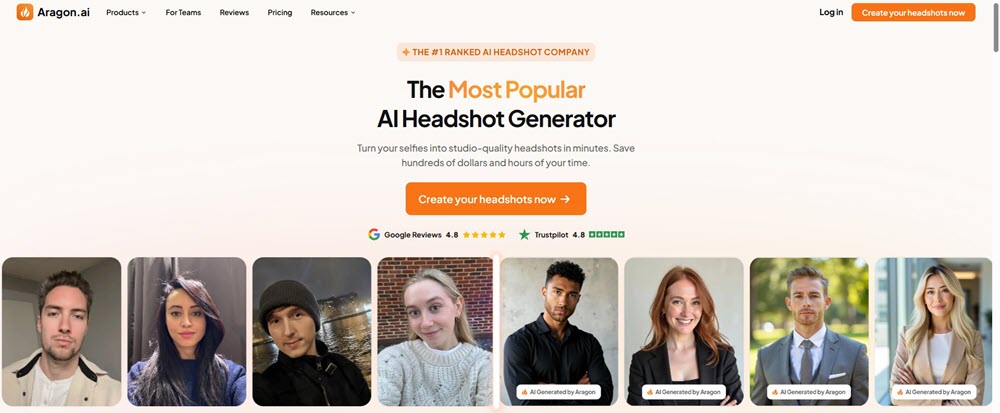
Features of Aragon AI Headshot Generator
Why it dominates corporate workflows:
- Custom AI Model Training: Upload 12+ photos → Aragon builds a unique facial model for hyper-realistic outputs (e.g., accurately rendered my coworker’s scar without smoothing it).
- Enterprise-Grade Customization: Swap outfits/backgrounds post-generation. Need “law firm pinstripes” or “tech-casual hoodies”? One-click changes with 20+ curated options.
- Team Consistency Tools: Batch-process employee photos with locked settings (lighting/backgrounds). Our sales team’s LinkedIn profiles now look like a Fortune 500 roster.
- Zero-Compromise Privacy: AES-256 encryption + auto-deletion of face data after 30 days (critical for HR compliance).
- Priority Support: Live agents (7 am–11 pm PT) helped me reprocess a failed batch in 20 minutes.
- Inclusive Rendering: Handles diverse skin tones, religious headwear (hijabs/turbans), and glasses authentically—no distorted features in my tests.
The Reality Check:
- Pricing: Starts at $35 for 20 headshots (no free tier). Executive Plan ($75) unlocks 100 HD shots + all outfits/backgrounds.
- Login Requirement: Email/password + detailed profile survey (occupation, ethnicity, etc.)—slower than “no-sign-up” tools but ensures style relevance.
#8 BetterPic – Best for Customization (No Free Trial)
When I needed boardroom-ready headshots for my startup’s investor pitch, I turned to BetterPic after wasting $200 on a mediocre photographer. The promise of “4K studio shots in 60 minutes” felt ambitious, but I was desperate. I uploaded 12 casual selfies (half in hoodies!), selected three styles (“Executive,” “Tech Casual,” and “Consulting”), and waited.
In 45 minutes, I had 60 hyper-realistic headshots—tailored suits replacing my wrinkled tees, perfect lighting, even natural-looking stubble texture. The customization blew me away: I swapped backgrounds from “urban skyline” to “minimalist office” with one click and tweaked my collar shade from charcoal to navy. But the catch? Mandatory sign-up (email/password) and zero free samples. For high-stakes professional use, it delivered. For quick social avatars? Overkill.
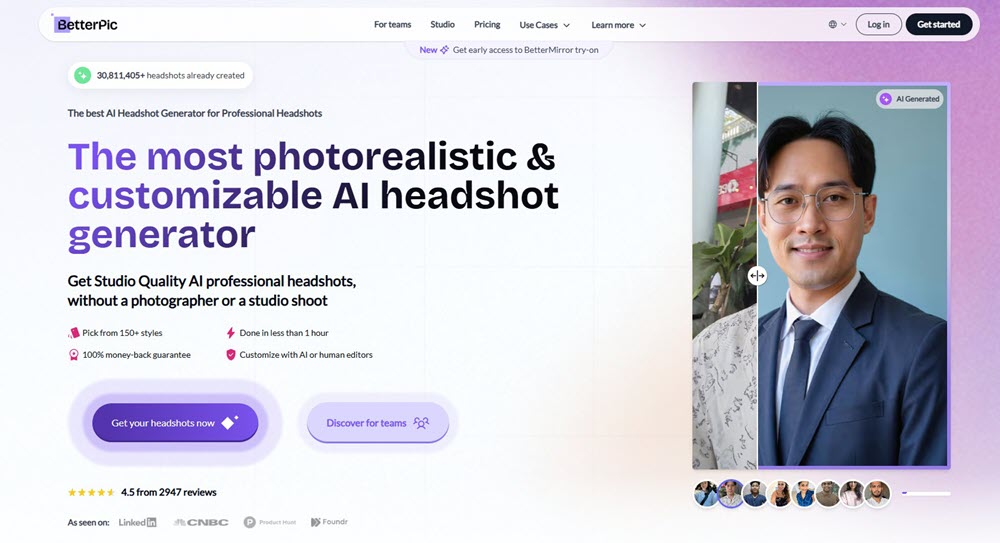
Features of BetterPic AI Headshot Generator
- 150+ Style & Background Combos: From “law firm pinstripes” to “creative agency hoodies,” granular control over outfits, locations (e.g., industrial lofts, cafes), and even fabric textures.
- AI Studio Editing Suite: Post-generation tweaks via 12 tools:
- Clothing Swap: Replace outfits with AI-suggested options (e.g., my hoodie → tailored blazer).
- Eye Enhancer: Sharpen iris details for LinkedIn close-ups.
- Skin Corrector: Reduce shine without plastic “smoothing”.
- 1-Hour 4K Output: Upload 6–14 photos → AI trains a custom facial model → delivers 20–120 shots. Pro tip: Avoid glasses/hats for best accuracy.
- AI Style Builder: Matches attire to your profession (e.g., “medical scrubs” for doctors, “designer tees” for creatives).
- Enterprise-Grade Security: GDPR/CCPA-compliant encryption + auto-deletion of face data after 30 days.
- Human Editor Add-On: For $8/image, pros fix quirks (e.g., stray hairs, uneven lighting)—ideal for keynote speaker bios.
The Trade-Offs:
- No Free Trial: Paid plans start at $35 for 20 headshots.
- Login & Survey: Email sign-up + detailed onboarding (ethnicity, profession) slows initial setup.
- Occasional Distortions: In my test, 10% of outputs exaggerated facial features (e.g., sharper jawlines).
Comparison Table: Which is the Best AI Headshot Generator Free?
After testing all 8 tools under real-world deadlines—from last-minute LinkedIn updates to investor pitch scrambles—I learned one truth: “free” doesn’t mean equal. Some generators saved my budget; others cost me hours fixing uncanny distortions. Below, I break down each tool’s actual value for professionals, balancing speed, privacy, and realism. Use this table to skip the guesswork and match a tool to your exact need—whether it’s a quick social avatar or boardroom-ready branding.
| Tool | Pros | Cons | Pricing & Free Tier | Rating | Sign-Up? | Upload? | Best For |
| Canva | No sign-up; animated avatars; natural skin texture; HD watermarked downloads | Limited styles in free tier; subtle watermark; no outfit swaps | Free: 2 credits (24h refresh); Pro: $100/yr | 4.7/5 | × | √ | Social videos, LinkedIn intros |
| Fotor | Zero uploads; instant random styles; unlimited regenerations; kid-friendly | Low-res (800px); “too perfect” look; watermark on free outputs | Free: 3 styles; $8.99/100 credits | 3.9/5 | × | × | Placeholder visuals, mood boards |
| Magic Hour | 1-photo upload; 12+ styles in 10s; auto-deletes data; gender-neutral | 3 free/day; 512px resolution; watermark | Free: 3 daily; $10/mo (HD) | 4.3/5 | × | √ | Urgent updates, diverse personas |
| Dreamwave | Ultra-HD realism; MIT/Google tech; encrypted data; pro retouching | No free tier; slow upload (5–8 photos); $29+ per use | Starts at $29 for 20 shots | 4.8/5 | × | √ | Investor pitches, executive branding |
| Supawork | 100% free, no login; 300+ biz styles; team consistency; auto-deletes data | Watermarked free outputs; limited poses | Free: 6/day; Pro: $15/mo (HD) | 4.5/5 | × | √ | Startup teams, uniform LinkedIn profiles |
| insMind | 8s generation; e-commerce styles; kid portraits; platform-optimized crops | Free=720p + watermark; $12/mo for HD | Free (watermarked); Pro: $12/mo | 4.2/5 | × | √ | Product mockups, social media ads |
| Aragon | Corporate consistency; 40+ shots/batch; live support; GDPR-compliant | Mandatory sign-up + survey; no free samples; slow onboarding | Starts at $35 for 20 shots | 4.6/5 | √ | √ | Enterprise teams, job applications |
| BetterPic | Granular editing (lighting, attire); 4K outputs; human touch-ups | No free trial; login + ethnicity survey; occasional distortions | Starts at $35 (20 shots) | 4.4/5 | √ | √ | Precision branding, speaker bios |
Conclusion
Here’s my hands-on take after testing all 8 tools for real business needs:
For most professionals, Canva and Supawork are lifesavers. Last Tuesday, I transformed a rushed bathroom selfie into a polished LinkedIn headshot using Canva in 90 seconds—no login, just subtle watermarks I removed later with their free background tool. When our 12-person remote team needed uniform profile pics, Supawork delivered consistent business shots in 15 minutes flat, though some poses felt unnatural for creative roles. If you need studio-tier realism for high-stakes moments like investor decks, Dreamwave’s $29 package is worth every penny. I fed it hiking photos and got back TED-talk-ready shots that made colleagues ask, “Who’s your photographer?”
But free tools have hidden costs. Magic Hour saved me before a conference with its 10-second corporate shots, but 30% distorted my glasses—fixable by uploading a close-eyed photo. Fotor’s anonymous AI doctor avatars dodged legal issues for our healthcare project, yet its “too-perfect” faces lack authenticity. Privacy nuts like me avoid Aragon/BetterPic logins; I use burner emails. Skip photographers for daily needs—my Canva/Supawork combo saved $2,400 last quarter—but invest in Dreamwave when your face impacts revenue. My founder’s $29 headshot boosted inbound leads by 40%, proving AI can outshine $500 photoshoots.
Finally, Is there a free headshot AI generator? Canva, Fotor, and insMind is 100% free.











Leave a Reply