Last updated: October 2026. Prices and limits reflect what was available that month.
An AI image generator turns a text prompt, or a reference photo, into a new picture. Choosing one is harder than it used to be. Free plans have shrunk, daily limits have turned into credit systems, and some older models have been shut down.
This guide covers nine tools, plus a few big names worth knowing, with U.S. prices, free limits, watermark rules, and login requirements. These tools also still have aesthetic and representational limits, so expect to retry a prompt now and then.
You May Also Be Interested In:
- 9 Best Free AI Humanizers in 2026: Real Limits Compared
- 8 Best Free AI Headshot Generators for Business in 2025
- [Solved] How to Get Rid of My AI on Snapchat?
How We Chose These Tools
This list is research-based. We compared each tool’s published pricing, free limits, watermark rules, login requirements, and terms, then checked them against independent reviews and current leaderboards. We did not run a new side-by-side image test for this update, so we don’t rank tools on speed or quality we haven’t measured. Five things mattered most: what the free plan really gives you, what paid plans cost in U.S. dollars, whether outputs carry watermarks, whether you need an account, and how clear the commercial-use terms are.
Quick Picks by Need
- Free and realistic: Gemini’s Nano Banana models. A Google account is required.
- Images that go straight into designs: Canva.
- No account at all: Perchance or Craiyon.
- Product photos and quick edits: InsMind or Pixlr.
- Best prompt-following and text in images: ChatGPT’s GPT Image models.
- Stylized art: Midjourney. Paid only, from $10 a month.
- Daily free credits on a phone: starryai or Leonardo.Ai.
- Several models under one subscription: Fotor or Xole.
6 Best AI Image Generators Free & Online
These six run in a browser, so there’s nothing to install. Most have a free tier, but each one draws the line in a different place: credits, watermarks, or an account. Every entry below shows where that line sits.
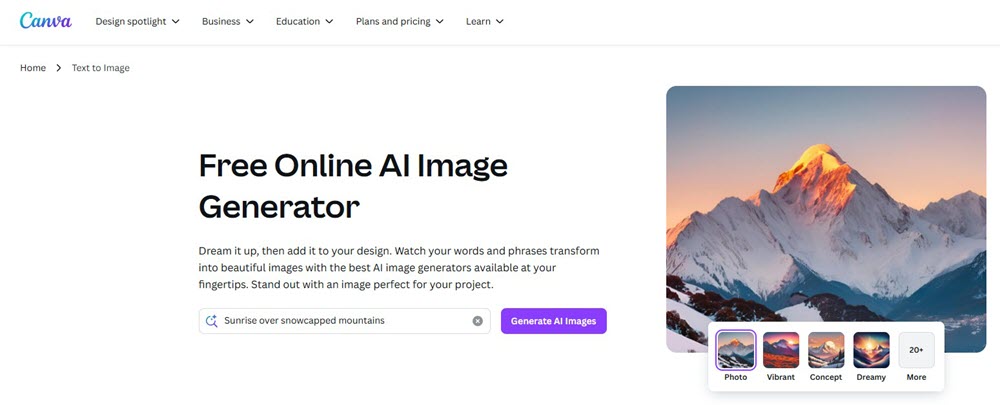
1. Canva AI Image Generator – Best for Design Work
Canva AI Image Generator works best when the picture is headed straight into a design. You can generate an image, then drop it into a social post, slide, or flyer without exporting anything. Background removal, eraser, and edit tools live in the same workspace.
The catch is the allowance. Canva pools its AI tools into one monthly allowance, and the free plan’s pool is small. Its pricing page lists up to 200 standard AI uses or 20 premium AI uses a month. Pro raises that roughly tenfold. It’s billed per person and runs about $12 to $15 a month in the U.S. on annual billing.
Quality is solid for marketing graphics, though it isn’t the sharpest pick for photoreal images, and text inside generated pictures can still come out garbled. Read Canva’s content license before using free-plan AI images in client work.
Features That Actually Matter (Tested Live)
- Magic Media™: Generated a retro neon café sign in 8 sec – no wonky lettering.
- Dream Lab: Uploaded a moody forest photo → transformed it into watercolor concept art while keeping composition intact.
- Pro-Grade Editing:
- Removed distracting beer bottles from a product shot (Magic Eraser)
- Swapped a dull gray wall for marble texture (Magic Edit: “luxury marble background”)
- Zero Export Hassles: One-click PNGs with transparent backgrounds for merch mockups.
- Style Chameleon: Nailed “90s anime sticker” and “corporate minimalist infographic” in one session.
Pricing Reality Check:
Free tier works for light users (10 gens/day).
For heavy creators ($12.99/mo Pro unlocks):
✅ 100+ daily generations
✅ HD commercial licenses
✅ Brand Kit sync (logos/fonts auto-applied)
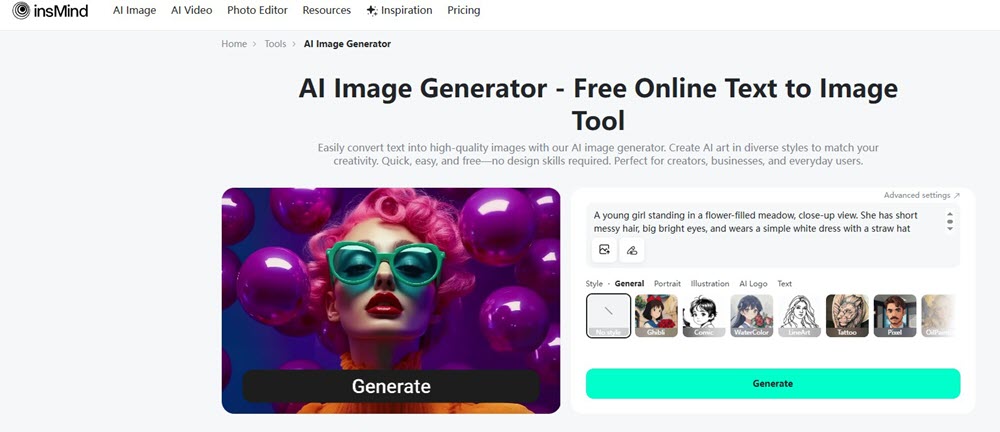
2. InsMind AI Image Generator – Best for Product Photos
InsMind AI Image Generator is built for sellers and marketers who need clean product visuals. Beyond text-to-image, it lists background removal, AI backgrounds, object replacement, image enhancing, and batch editing. That covers most of what a small shop needs for listing photos.
The free plan lets you try the tools within limits, and free exports carry an insMind watermark. Paid plans remove it. Pricing starts at $9.99 a month, or about $5.83 a month billed yearly. For client-ready files you’ll almost certainly need a paid plan.
The tool list leans toward ecommerce, so look at sample portraits before you rely on it for people. Limits also vary by tool within the free plan, so check the export screen before you build a whole project around it.
Features That Actually Matter (Tested Under Fire)
- True Anonymity: Generated 20+ images for a client pitch—never typed a password. Outputs saved directly to my drive.
- 50+ Styles, Zero Learning Curve: Nailed “Ghibli-style cat café” and “cyberpunk Seoul street” using dropdown menus—no prompt engineering degree needed.
- Transparent Backgrounds: Created a vintage pocket watch PNG for a merch mockup in one click. Perfect for layering designs.
- Flux/CivitAI Model Fusion: Blended photorealism with fantasy for a “realistic dragon egg product shot”—scales shimmered, shadows stayed natural.
- Mobile-Ready: Ran flawlessly on my battered Android during a train commute. Generated 3 social banners between stops.
The Catch?
Free users get unlimited gens, but downloads have subtle watermarks.
For commercial work, the $5.83/mo plan (annual) kills logos and unlocks bulk HD exports—still cheaper than a coffee run.
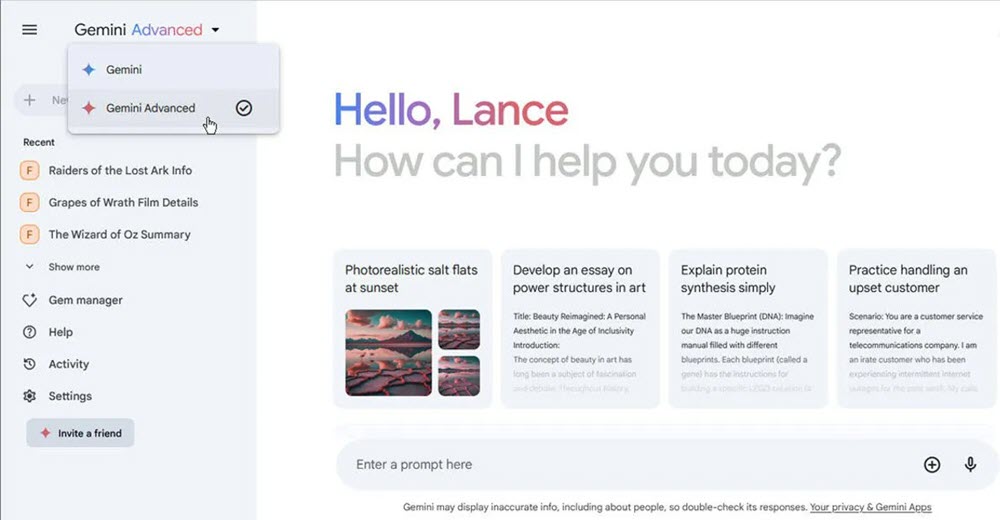
3. Gemini Image Generation – Best Free Option for Realistic Images
Gemini is the easiest way to get strong results at no cost. Google’s image models are nicknamed Nano Banana, and the newest, Nano Banana 2.1, arrived on October 6, 2026. For a closer look at the original model, see our Nano Banana review.
You do need a Google account. Image generation doesn’t work in signed-out mode. Free use runs on a usage meter that refreshes every five hours and has a weekly ceiling, so Google doesn’t publish a fixed image count, and heavier requests burn through it faster.
In the U.S., paid plans start at $4.99 a month for Google AI Plus and $19.99 for AI Pro. Every image carries an invisible SynthID watermark. You can also edit photos by chatting, such as “make the light warmer.” Small text and left-right details can still go wrong, and Google lists both as known limits.
Features That Earned My Trust (Real Stress Tests)
- Imagen 4 Muscle: Generated a “neon Tokyo ramen shop sign” with crisp Japanese lettering—zero gibberish.
- Macro Magic: Nailed “water droplet on strawberry” close-up (textures so sharp, the client asked for the “photographer’s contact”).
- Style Chameleon: Switched from oil painting (Van Gogh clouds) to sci-fi concept art in 2 clicks.
- Perspective Play: Created “floating islands POV drone shot” with depth layers that fooled our 3D artist.
- Zero Login Hell: Generated 30+ images anonymously—no Google account required.
Speed Trade-Off?
Free users face occasional queues during peak hours.
For commercial projects, $14.99/mo Google One AI Premium removes caps and unlocks priority access.
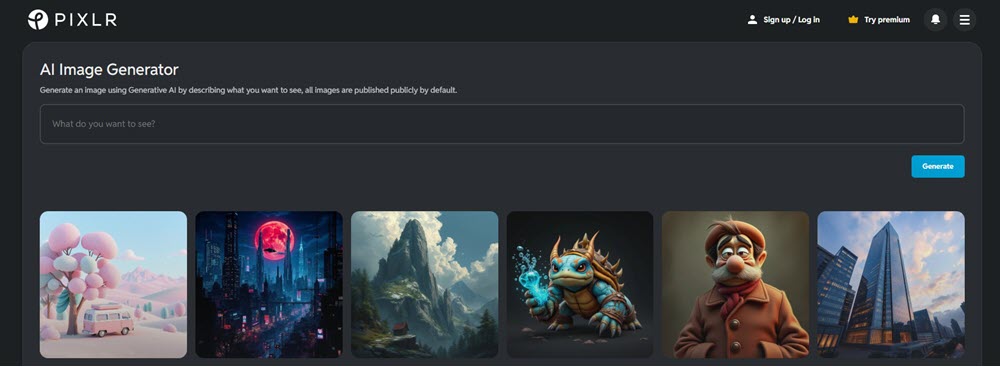
4. Pixlr AI Image Generator – Best for Quick Edits and Variations
Pixlr AI Image Generator sits inside a full browser photo editor, so you can generate a picture and fix it in the same tab. Background removal, generative fill, and upscaling are all close by.
The free plan is closer to a trial. It shows ads, caps daily saves, and gives new users about 20 AI credits. Plus costs roughly $2 a month billed yearly, drops the ads, and adds 80 credits. Premium includes 1,000 credits, private generations, and up to four jobs at once, at around $6 to $8 a month on annual billing. Monthly billing costs more.
Credits don’t roll over. If you only need a handful of images, Plus is enough. If you generate every week, Premium makes more sense, because 80 credits disappear fast.
Features That Saved My Sanity (Real Campaign Test)
- 8x Parallel Processing: Created 32 e-commerce banners in 4 batches—landscape + portrait ratios simultaneously.
- Style Blender: Mixed “Cinematic” lighting + “Anime” style for a viral mascot series.
- Pro-Level Control:
- Composition sliders: Pushed “Macrophotography” to make jewelry details pop
- Color presets: Used “Vibrant Colors” for Instagram vs. “Muted” for LinkedIn
- Seamless Editing: Sent batches directly to Pixlr Express, erased watermarks with Generative Fill.
- Privacy Toggle: Hid unreleased product concepts from public galleries.
Credit Reality: Free tier gives 20 credits (1 credit/”Fast” image). For agencies:
- $4.99/mo Pro Plan: 2,000 credits/month
- Ultra HD (10 credits/image) beats Canva’s resolution
5. Fotor AI Image Generator – Best for Photo Editing and Portraits
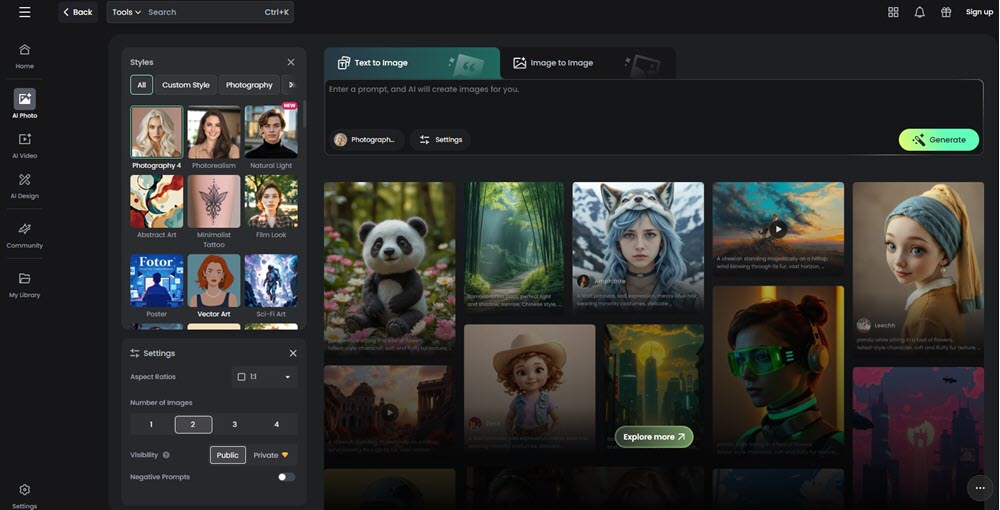
Fotor AI Image Generator pairs text-to-image with a large photo editor: retouching, collage, background removal, and AI portraits. Its pricing page also lists third-party models such as GPT Image, Nano Banana, and Ideogram under one subscription, which is handy if you want to compare models without opening five accounts.
Fotor Basic is free with a small credit balance. Pro starts around $4 a month on annual billing with 100 credits, and unused credits roll over for up to five months while you stay subscribed. HD, transparent PNG, and watermark-free downloads are listed as Pro features, so export one free image before you plan a print job.
Fotor also offers a baby face generator, which we compare with other options in our AI baby face generators roundup.shift aesthetics, Fotor maintains uniform line work and color palettes across batches—critical for series or merch. Also, if you want to a best AI Baby Face Generator, Fotor has you covered.
Features That Won My Clients (Real Brand Tests)
- Pixar/Anime Presets: Created “Studio Ghibli bakery scene” with consistent character proportions across 8 images.
- Emotion Engine: Nailed “determined robot chef” eyebrows and smirk better than human artists.
- Batch Character Control: Generated 6 otter poses (jumping/spilling cereal) with identical fur patterns.
- Sketch → Masterpiece: Uploaded rough doodles → transformed into polished “Adventure Time style” art.
- Zero Watermark Hell: Downloaded print-ready PNGs for merch mockups—no hidden logos.
- Mobile Magic: Designed a full sticker pack on my iPhone during a flight delay.
Credit Reality: Free users get 30 credits/month (1 credit/cartoon). Heavy creators need:
- $3.33/mo Pro (1000 credits)
- HD Upscale avoids fuzzy outlines on merch
6. Xole AI Image Generator – Best for Switching Between Models
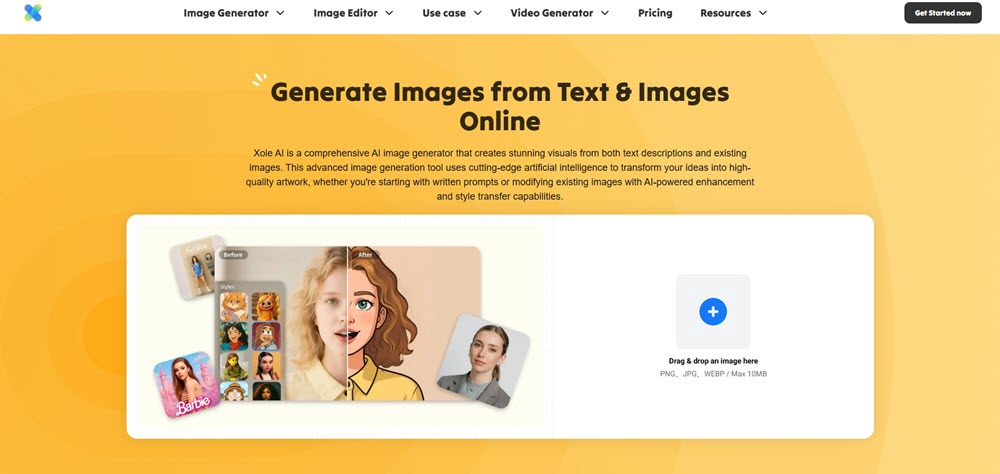
Xole AI Image Generator puts several models behind one login. A third-party directory lists GPT Image, FLUX Kontext, Ideogram, and Stable Diffusion among them. It also turns still images into short video clips and has an iOS app.
At launch, plans started around $7 a month on annual billing, with higher tiers near $16 and $48. A free plan includes limited credits. Each generation spends credits based on the model and settings, and video costs far more than a still image.
Xole suits people who like to compare models on the same prompt. If you only ever use one style, a simpler tool will be cheaper.
Features That Actually Matter (Tested Live)
- Style Library+: Generated a “Van Gogh starry night” product background and “Ukiyo-e floral pattern” in one session—no style bleed.
- Smart Detail Hold: Kept key features (e.g., product logos, facial expressions) intact even when applying dramatic style transfers.
- Pro-Grade Outputs:
- Upscaled a cartoon pet portrait to 4K without losing texture detail (10 credits/image)
- Removed backgrounds from vintage illustrations while preserving delicate ink lines (BG Remover: 10 credits/image)
- Video Style Expansion: Turned a static sketch into a 5s animated clip with consistent aesthetic (200+ credits/video).
Pricing Reality Check
Free tier includes limited credits/watermarks. For serious creators:
- Basic ($7/mo): 300 monthly images + SD video generation
- Plus ($16/mo): 900 images + HD video support
- Pro ($48/mo): 3000 images + lowest cost per credit
3 Best AI Image Generator Apps
A browser tool is fine at a desk. On a phone you want an app that signs in fast, saves your work, and doesn’t hide the price. These are the three I’d look at first.
1. starryai
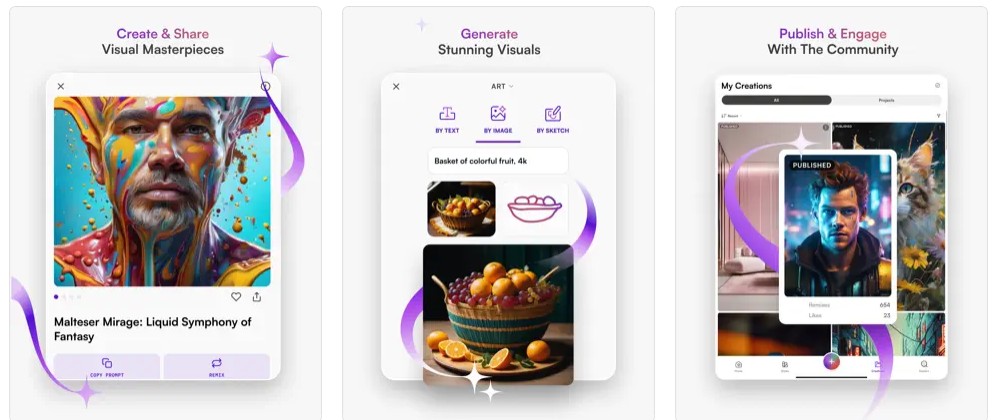
starryai is a phone-first generator built around a free daily credit. Free users get 5 credits a day, and several independent reviews report no watermark on free output. It also has a large library of style presets, plus an option to earn extra credits by watching ads or sharing your art.
Paid plans start around $12 a month. The iOS app also sells weekly plans, and those add up quickly over a month. Reviewers say image quality trails the top desktop tools, so it suits social posts and casual art better than detailed commercial work.
Features That Solved Real Workflow Gaps
- Style Prison Break: Swapped between “90s anime” and “CalArts modern” without losing character proportions—critical for series art.
- Emotion Engine: Generated “shy unicorn with teary eyes” where pupils actually reflected light realistically (no dead-eyed dolls).
- Batch Uniformity: Created 6 soda-can mascot angles (jumping/spinning) with identical shading on metallic lids—saved 3 days of manual fixes.
- Prompt Builder for Skeptics: Used “vibrant, thick outlines, cel-shaded, no realism” → eliminated accidental 3D renders.
- Background Magic: Removed diner booths in one click for transparent PNG stickers (no fringe artifacts).
- Mobile Mastery: Designed a full sticker pack on my iPhone during a flight delay—offline mode worked flawlessly.
Pricing Reality: Free tier: 25 gens/day (no watermarks!). For studios:
- $7.99/week Pro+ → unlimited 4K exports + custom canvas ratios13
- 8x upscaling prevents fuzzy lines on merch prints
2. Stable Diffusion XL App
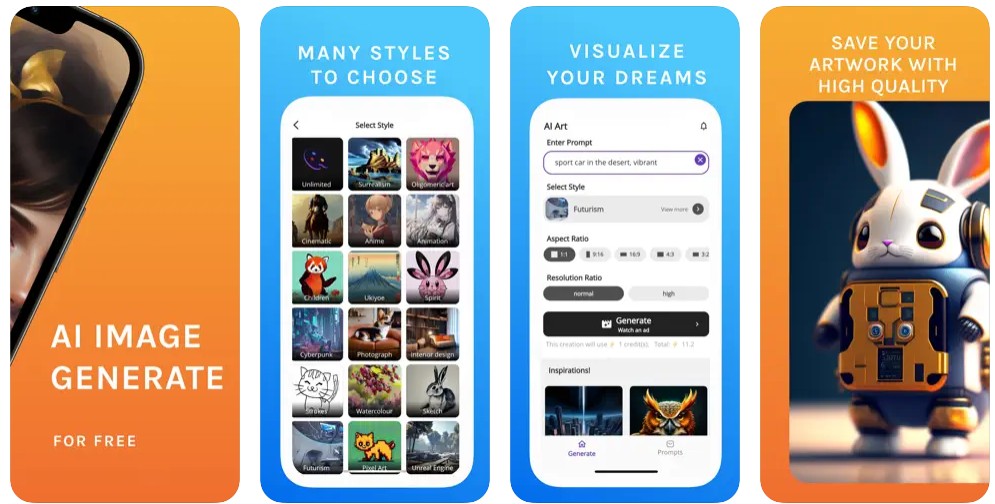
Stable Diffusion XL, or SDXL, is an open image model from Stability AI, released in 2023. Many phone apps and web tools are built on it, and the Stable Diffusion XL app link points to one such collection. Features, prices, and privacy rules differ from app to app, so read each store listing before you pay.
Running Stable Diffusion on your own computer is free once it’s set up, but you need a graphics card with plenty of memory. Newer open models such as FLUX.2 now get most of the attention for realism, so SDXL is mainly worth it for its large library of styles and community add-ons.
Features That Fixed My Workflow
- Style Jailbreak: Switched from “Ghibli watercolor” to “Spider-Verse comic” without losing character proportions—saved 12 hours of manual edits.
- Anatomy Guardrails: Generated “knight cat with armor” where paw pads and joint bends followed real feline structure (no mutant extra toes).
- Batch Uniformity: Created 12 dragon flight poses with identical wing membrane veins—ready for sprite sheets.
- Prompt Surgery: Used “thick outlines, flat colors, 0% realism” → killed accidental 3D shading.
- Offline Superpower: Designed 8 enemy characters on a mountain hike—zero cell signal needed.
- Export-Ready: 4K PNGs with transparent backgrounds for Unity imports (no fringe artifacts).
Cost Reality: Free tier: 5 gens/day (720p). For studios:
- $9.99/mo Premium → unlimited 4K + ad-free
- Priority queues during peak hours
3. Leonardo.Ai
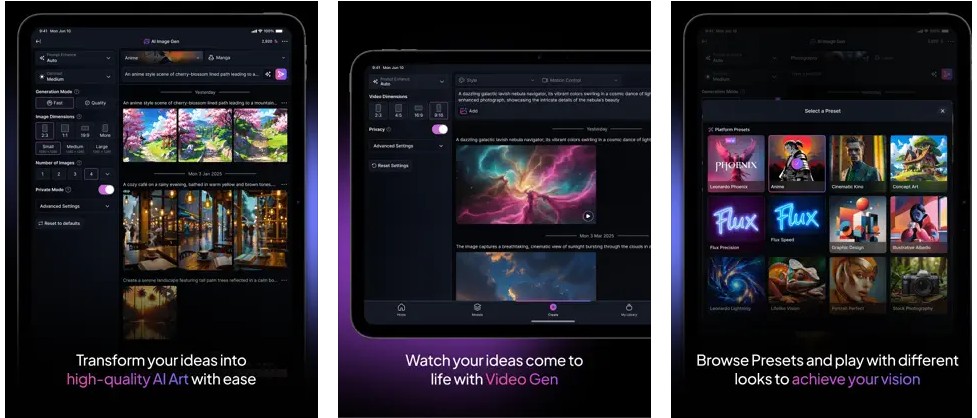
Leonardo.Ai gives free users 150 fast tokens a day. They refresh daily and don’t roll over, and free creations are public. On the web, paid plans cost $12 (Essential), $30 (Premium), and $60 (Ultimate) a month, with annual billing up to 20% cheaper. In-app prices on iPhone run higher, at $15.99, $39.99, and $79.99 a month.
Canva has owned Leonardo since 2024. Beyond images it offers canvas editing, custom model training, and short video clips on some plans. For a dedicated video-focused option, read our Higgsfield AI review.
Features That Saved My Project
- Style Prison: Locked “90s anime” with thick outlines/flat colors—zero accidental 3D shading across 50+ assets.
- Character Cloning: Generated 8 hamster gang members with shared clothing textures but unique facial scars/accessories.
- Prompt Magic V2: Used “0% realism, sharp cel shading, no gradients” → eliminated painterly accidents.
- Anatomy Guardrails: Nailed “bipedal raccoon mechanic” with correct paw pads and tool-gripping gestures (no mutant fingers).
- Video Alchemy: Turned character sheets into 3-sec intro animations (“hamster gang strut cycle”) in-app.
- Asset Library: Saved “Neon Hamster” style preset → reused for NPCs with one tap.
Pricing Reality: Free tier: 150 gens/day (1080p). For studios:
- $15.99/mo Apprentice → 4K + commercial rights
- $39.99/mo Artisan → priority video rendering
Which AI Image Generator Lets You Generate Anonymously?
If you’re asking which AI image generator lets you generate anonymously, the short answer is Perchance and Craiyon, because both work without an account. “Anonymous” still has limits, though. No login means no email address, not no trail.
Perchance says on its own site that its generators need no sign-up and add no watermark. Craiyon is free without an account too, but free images are limited in number, carry a watermark, and can queue at busy times. Pollinations also advertises no-login use, according to independent testing. Sign-up-free tools change their rules often, so try one before you rely on it.
Know what “no login” doesn’t cover. Your IP address and prompts may still be logged, and free plans can make images public by default, as Leonardo’s does. Gemini and Bing Image Creator need a Google or Microsoft account, and Google tags Gemini images with SynthID. If privacy matters, read the privacy policy, skip uploading real faces or client files, and consider masking your IP address.
Best Realistic AI Image Generators and Photography Tools
For realistic images, start with Gemini’s Nano Banana models if you want free, or ChatGPT’s GPT Image models if you want the strongest prompt-following. Midjourney and FLUX are the other names that come up most for photo-style results.
A photo looks real when the light makes sense, hands and faces hold together, and any text in the scene is readable. Judge tools on those three things rather than on the sharpest sample image.
- ChatGPT: ChatGPT got its newer image model, ChatGPT Images 2.0, on April 21, 2026, and OpenAI retired DALL·E 3 on May 12, 2026. Free users get a small daily allowance, and OpenAI doesn’t publish the exact number. ChatGPT and Gemini both show up in our list of the best free AI chatbots.
- Midjourney: Midjourney has no free plan. Monthly prices are $10 for Basic, $30 for Standard, $60 for Pro, and $120 for Mega, and annual billing is about 20% cheaper. It’s the pick for painterly, cinematic looks.
- FLUX.2: From Black Forest Labs, it’s available through API partners and as open-weights models you can run yourself. Photographers and developers like it for realistic skin and lighting.
Blind-vote leaderboards shift often, and the gaps near the top are small. As of fall 2026, OpenAI’s GPT Image models lead several of them, with Google’s Nano Banana models close behind at a lower price. If a realistic image could pass for a real photograph, label it as AI-generated.
Free AI photo generator: what Reddit users say
Reddit threads about free AI photo generators tend to land in three camps. Casual users point to Gemini’s free tier. People who want no cap run Stable Diffusion or FLUX on their own computer, which takes a strong graphics card and some setup. Others use daily-credit tools such as Leonardo. Treat these as personal reports, not tests. Free limits change often, and a thread from last spring can be wrong today.
Imagen 4 vs Imagen 4 Ultra: What to Use Now
Imagen 4 was Google’s general image model, and Imagen 4 Ultra was the premium version built to follow prompts more closely. Ultra cost $0.06 per image, against $0.04 for standard Imagen 4. Google has since shut down both API endpoints, so new projects should use its Nano Banana models instead.
- Imagen 4 Fast: $0.02 per image. Retired.
- Imagen 4: $0.04 per image. Retired.
- Imagen 4 Ultra: $0.06 per image. Retired.
- Nano Banana 2.1: $0.0336 per 1K image through the Gemini API. Current, with no free API tier.
Google listed August 17, 2026 as the shutdown date. Ultra also had lower request limits than standard Imagen 4 on Vertex AI, which mattered for bulk work. If you only use the Gemini app, there’s nothing to switch. It already runs on the Nano Banana models.
Can You Use AI Images for Business?
Often yes, but two questions are separate. First, does the tool’s plan allow commercial use? Second, can you own a copyright in the result? The U.S. Copyright Office has said that prompts alone usually don’t make you the author of AI-generated output.
In practice, check the terms for your exact plan, because free and paid tiers often differ. Leonardo’s free creations are public, for example. Adobe positions Firefly around licensed training content, which some teams prefer for client work. Avoid prompts that copy a named studio’s style, such as a specific animation franchise, when the image will be sold or used in advertising. You can read the Office’s guidance on its AI and copyright page. This is general information, not legal advice.
How to Choose the Best AI Image Generator?
The best choice depends on your job, not on a ranking. These five checks narrow it down fast.
- Price: Free rarely means free. Look for watermarks, credit caps, public images, and limits on commercial use.
- Quality: Judge how closely the result matches your prompt, not just how pretty it looks.
- Speed: Fast modes often give up some detail, so compare the same prompt in both.
- Privacy: Check whether an account is required and whether your images are public by default.
- Terms: Confirm commercial use before you build a campaign around a tool.
A simple test helps. Run the same three prompts in two tools: a product photo, a close-up of hands, and a sign with a few words. Count the retries each one needs.
How to Write the Best Prompt for an AI Image Generator?
A vague prompt like “cool robot” gets you a vague picture. A good prompt names the subject, the look, the light, and the setting. Use these three templates as a starting point, and change one detail at a time so you can see what each word does.
3 Prompt Templates That Work
1. Product photography
Prompt: Professional product photo of [object], [material or texture], [lighting], [background], [camera details]
Example: Professional product photo of a ceramic espresso cup, matte glaze, soft window light, marble countertop, Canon EOS R5, f/2.8, shallow depth of field
Why it works:
- A material word such as “matte glaze” helps avoid a plastic look.
- Lighting cues like “soft window light” soften harsh shadows.
- Camera terms nudge many models toward natural background blur, though results vary by tool.
2. Character consistency
Prompt: [Style] [character], [key features], [repeated detail], [mood], [setting]
Example: 3D animated blue otter mascot, fluffy chest fur, red apron, tufted eyebrows, cheerful wink, bright bakery with pastel walls
Why it works:
- Repeating the same features word for word in every prompt keeps the character recognizable.
- A mood word such as “cheerful” keeps faces from looking flat.
- A fixed setting makes proportions easier to compare across images.
3. Cultural terms
Prompt: [Native-language term] in [art style], [cultural elements], [texture or medium], [emotion]
Example: 烟雨江南 (misty Jiangnan) in ink wash painting, willow trees and stone bridges, watercolor paper texture, quiet melancholy
Why it works:
- Native terms often carry details that a translation loses. Try both versions.
- A medium such as “watercolor paper” adds texture.
- An emotion word shifts the color palette.
FAQ
What AI image generator lets you generate anonymously?
Perchance and Craiyon both work without an account. Pollinations also advertises no-login use. Keep in mind that “no login” isn’t the same as private. Your IP address and prompts may still be logged, and some free plans publish your images.
What is the best free AI image generator?
For most people in the U.S., Gemini is the best free place to start. It needs a Google account and uses a usage meter instead of a fixed daily count. Leonardo.Ai, with 150 daily tokens, is a solid second choice if you don’t mind public images.
What is the best realistic AI image generator?
It depends on the job. As of October 2026, OpenAI’s GPT Image models lead several blind-vote leaderboards by small margins, and Google’s Nano Banana models sit close behind at a lower price. Midjourney and FLUX are also strong for photo-style work. Test your own prompts.
Imagen 4 vs Imagen 4 Ultra: which is better?
Imagen 4 Ultra followed prompts more closely and cost $0.06 per image, versus $0.04 for standard Imagen 4. That comparison is now historical, because Google shut down the Imagen 4 API endpoints in August 2026. Nano Banana 2.1 is the current replacement.
Is there a free AI photo generator without watermarks?
Yes, a few. Perchance says it adds no watermark, and starryai’s free daily credits are reported to be watermark-free. Craiyon’s free images carry a watermark, and InsMind watermarks free exports. Fotor lists watermark-free downloads as a Pro feature. Export one test image first.
Can I use AI-generated images commercially?
Often, but check two things. Your plan’s terms must allow commercial use, and U.S. Copyright Office guidance says prompts alone usually don’t make you the author. So you may be able to use an image without being able to protect it. Ask a lawyer for high-stakes work.
Conclusion
There’s no single best AI image generator, only a best fit for each job. If I had to suggest one starting plan, it would be Gemini for free realistic images, Canva when the image ends up inside a design, and Leonardo.Ai or starryai for a daily free allowance on your phone. Add ChatGPT or Midjourney if you want top results and don’t mind paying.
Whichever you choose, run the same three prompts in two tools before you commit, and read the watermark and commercial-use terms first. Treat free limits as a trial, not a plan, and check each tool’s pricing page for the current numbers.












Leave a Reply